Share it

Bookmark and Share

Translate

Showing posts with label Web programming. Show all posts

Wednesday, May 18, 2011

0 Account Activation via Email:PHP

That's a little bit more tricky. You'll yet again want another field, this time it will store a random string (for help doing this 'php random string' in to Google should be fine).

When they register, a random string is generated and they get sent an email with an activation link. So if user with ID '1' registers and the random string '4avdcfergd3fd3' has been generated, the link will look something like:
www.example.com/activate.php?user=1&code=4avdcfergd3fd3
When they click this link 'activate.php' will check if the user id and activation code match, if so update the original activated field to 1.
     Set a variable called active in the registration page, like so:
php code
$active = md5(uniqid(rand(), true)); 
Then insert this value into your "active" column in your database. When you send the email, use the mail function like so:
PHP code
mail($_POST['email'], 'User Registration',  
'Click here to activate your account:
http://www.example.com/activate.php?u='
. mysql_insert_id() .  '&c=' . $active); 
mysql_insert_id() will insert the ID of the new user, and obviously active is your activation code.
On activate.php, have it check that the user ID and activation code match, and if they do, set the value of the activation code to NULL. If they don't match, or if the account is already activated, tell the user that there was a problem.
Finally, in login.php or whatever your login script is, as well as checking that the username and password match, also check that the account has been activated so that they can't login until they have done so. Then only if it has been activated should you let them login. Simple as that, although obviously you'll need to incorporate that into your code and change it as you feel fit.

Wednesday, March 23, 2011

0 How to Edit Comments on Facebook


How to Edit Comments on Facebook
Facebook has rolled significant number of changes to its Social networking platform. The most recent one had been focussing a more real-time experience with the Feed and comments that let you update the content automatically.

With the new changes coming to comments, now, instead of pressing Comment, you simply press the “Enter” key to publish a comment and another feature that lets you edit comments in Facebook!


How to Edit Comments on Facebook

When you comment on a friend’s status photo, update or link, you can now press the ‘X’ in the top right corner to edit it. Your comment instantly come to the Editing mode where you can alter what you’ve written and when you’re done, just press Enter to save it again.
However, it would not work when:
The editing is allowed within 60 seconds of comment being published.
If someone comments after you, your comment is locked. Solution? You can still delete it and republish.
You might wish to note that everyone on the thread still gets notifications when you edit comment.

Thursday, March 17, 2011

0 Saving the Uploaded File in php


<?php
if ((($_FILES["file"]["type"] == "image/gif")
|| ($_FILES["file"]["type"] == "image/jpeg")
|| ($_FILES["file"]["type"] == "image/pjpeg"))
&& ($_FILES["file"]["size"] < 20000))
  {
  if ($_FILES["file"]["error"] > 0)
    {
    echo "Return Code: " . $_FILES["file"]["error"] . "<br />";
    }
  else
    {
    echo "Upload: " . $_FILES["file"]["name"] . "<br />";
    echo "Type: " . $_FILES["file"]["type"] . "<br />";
    echo "Size: " . ($_FILES["file"]["size"] / 1024) . " Kb<br />";
    echo "Temp file: " . $_FILES["file"]["tmp_name"] . "<br />";

    if (file_exists("upload/" . $_FILES["file"]["name"]))
      {
      echo $_FILES["file"]["name"] . " already exists. ";
      }
    else
      {
      move_uploaded_file($_FILES["file"]["tmp_name"],
      "upload/" . $_FILES["file"]["name"]);
      echo "Stored in: " . "upload/" . $_FILES["file"]["name"];
      }
    }
  }
else
  {
  echo "Invalid file";
  }
?>

Wednesday, March 16, 2011

0 CAPTCHA


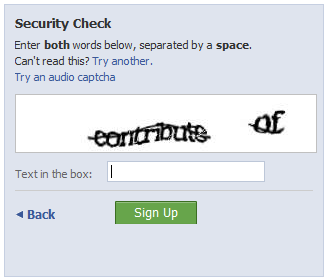
A CAPTCHA or Captcha (pronounced /ˈkæptʃə/) is a type of challenge-response test used in computing as an attempt to ensure that the response is not generated by a computer. The process usually involves one computer (a server) asking a user to complete a simple test which the computer is able to generate and grade. Because other computers are supposedly unable to solve the CAPTCHA, any user entering a correct solution is presumed to be human. Thus, it is sometimes described as areverse Turing test, because it is administered by a machine and targeted to a human, in contrast to the standard Turing test that is typically administered by a human and targeted to a machine. A common type of CAPTCHA requires the user to type letters or digits from a distorted image that appears on the screen.
The term "CAPTCHA" was coined in 2000 by Luis von Ahn, Manuel Blum, Nicholas J. Hopper, and John Langford (all of Carnegie Mellon University). It is a contrived acronym based on the word "capture" and standing for "Completely Automated PublicTuring test to tell Computers and Humans Apart". Carnegie Mellon University attempted to trademark the term, but the trademark application was abandoned on 21 April 2008.

Friday, March 11, 2011

0 Facebook Chat Smileys


All Facebook emoticons

Image: All Facebook emoticons
List of all default Facebook emoticon codes for chat.


TechnoTipworld- Tips,Tricks,Technology Copyright © 2011 - |- Template created by O Pregador - |- Powered by Blogger Templates